
Build
Create recurring plans, payment schedules, invoices, and subscription offers.
Sell subscriptions, give customers control, recover payments, automate repeat work, and connect recurring billing to the stack you already use.

PayWhirl keeps the work clear from the first offer to every repeat payment after it.
Create recurring plans, payment schedules, invoices, and subscription offers.
Add PayWhirl to your site with widgets, hosted links, portals, or custom API flows.
Charge on schedule, retry failed payments, and keep invoices and emails moving.
Give customers and teams clear controls for subscription changes.
Track recurring revenue, customer value, churn, and billing performance.
Create recurring billing, memberships, installment plans, retainers, pre-orders, donation programs, and manual subscriptions without rebuilding your site.
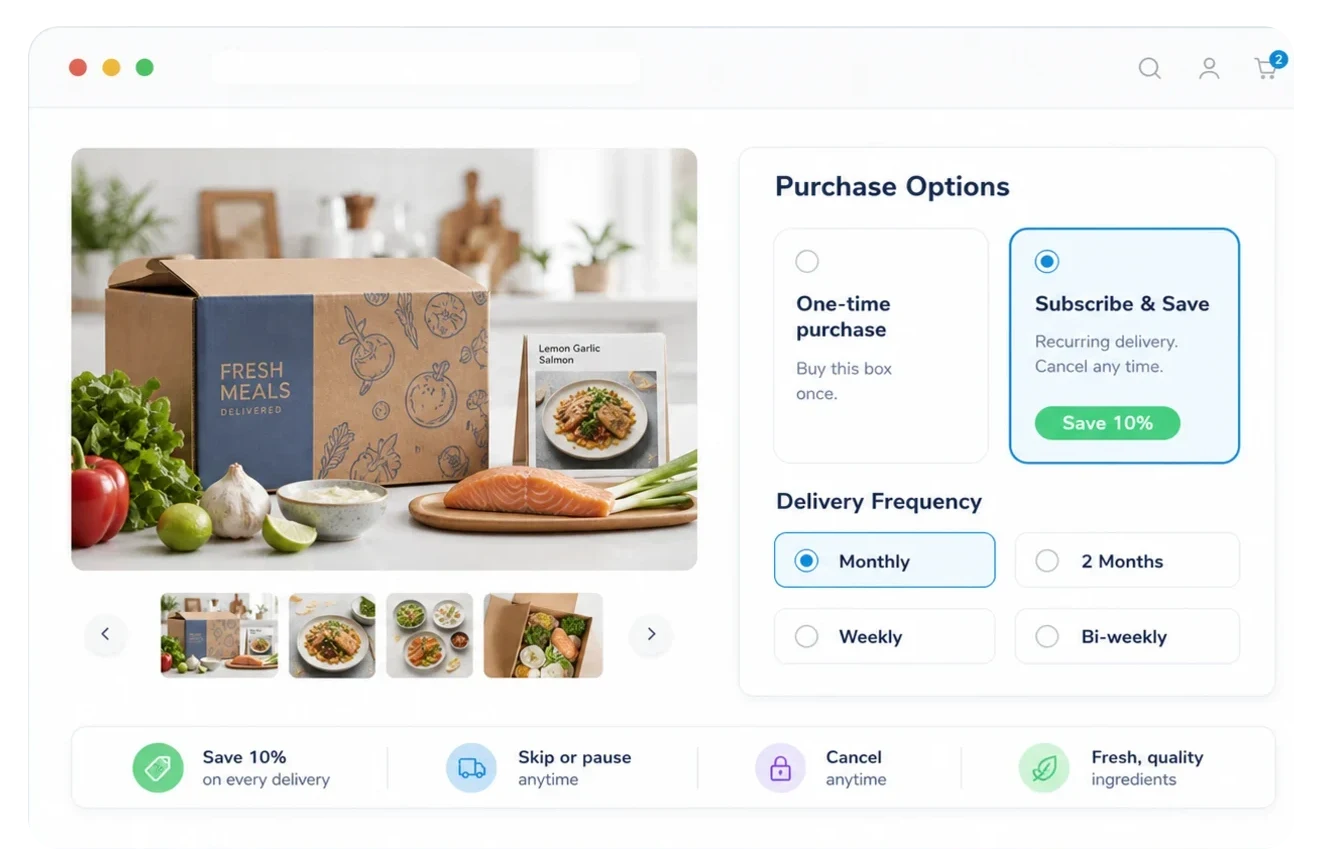
Bill customers weekly, monthly, yearly, or on custom schedules.
Let customers purchase single-payment items and recurring items together.
Create and manage recurring billing from your dashboard when your team needs control.
Collect payment details and schedule future charges around your launch or delivery plan.
Customers can manage payment methods, billing details, and subscription changes from a clean self-service experience.

Give customers a place to manage common subscription and payment changes.
Keep subscription controls usable on phones, tablets, and desktops.
Decide which changes customers can make without contacting support.
Help customers keep cards and billing details current before payments fail.
Automate invoices, emails, payment retries, dunning, and account updates so billing work stays organized as you grow.
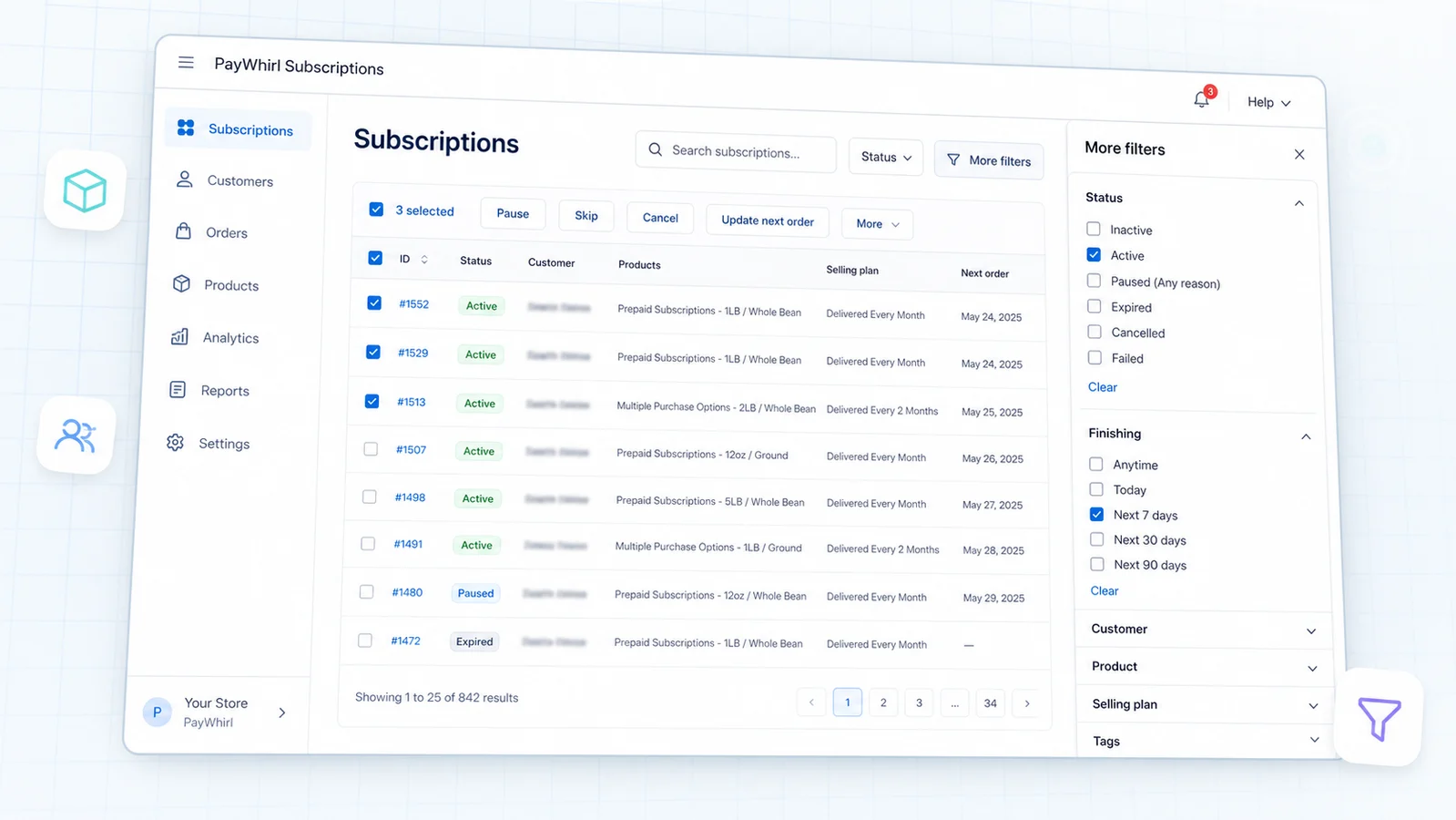
Charge customers automatically based on the timing you choose.
Send clear billing records for recurring and one-time payments.
Recover failed payments with retry logic and customer notifications.
Update groups of customers or plans without repeating the same work.
Match customer communication to your brand and billing process.
Store payment methods through gateways without keeping raw card details on your servers.
Track subscriber activity, revenue, customer value, churn, payments, and billing trends from one subscription-focused view.

Monitor recurring revenue in terms that subscription teams actually use.
See how customer value changes across plans, products, and billing models.
Understand cancellations and failed payments before they quietly drain growth.
Know what is billing soon and where follow-up may be needed.
See where your customers and revenue are coming from.
Use billing and churn trends to plan what comes next.
Use supported gateways, embeddable widgets, custom scripts, API access, webhooks, and integrations to make recurring billing fit your stack.
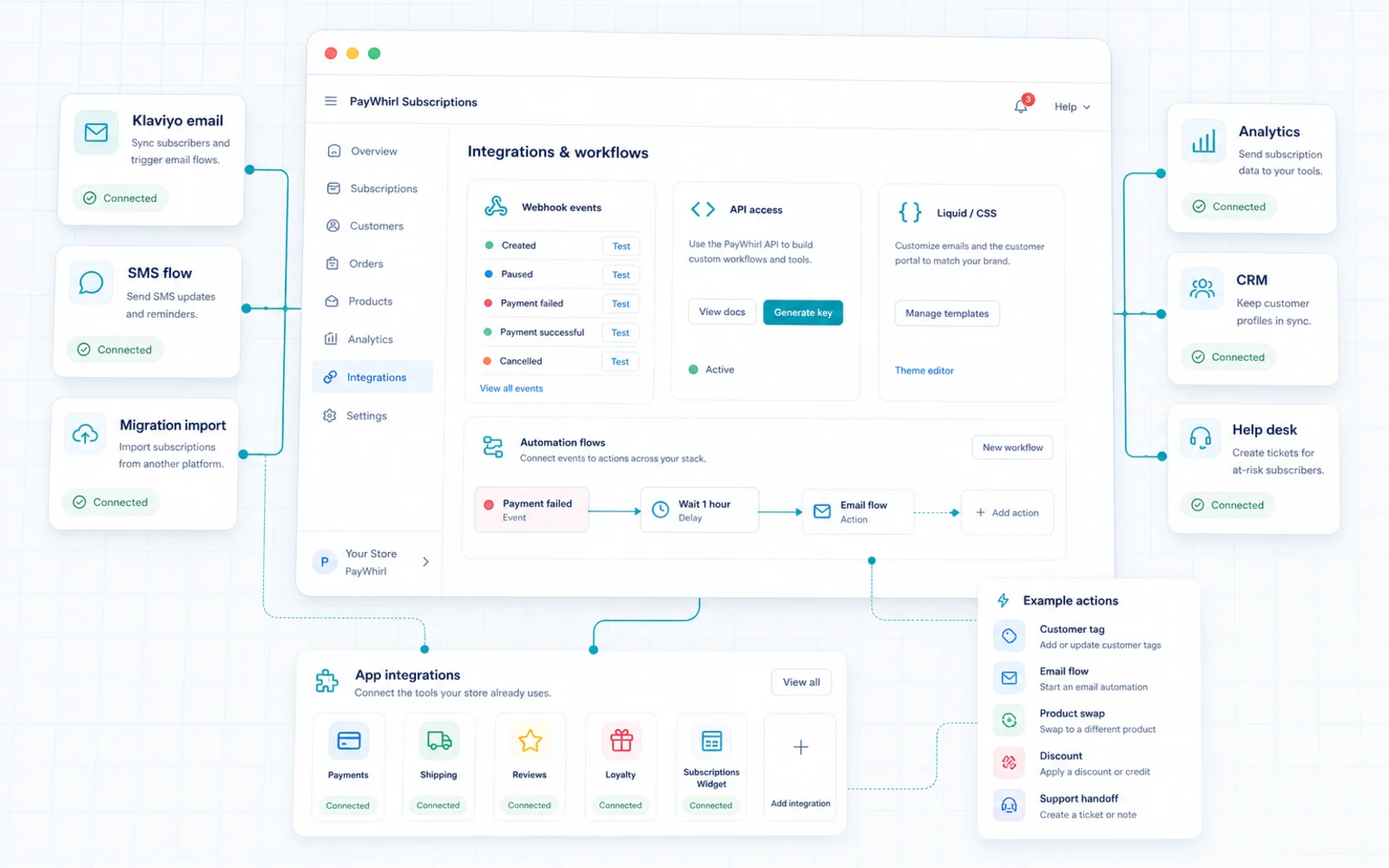
Copy and paste subscription flows into your website without starting from scratch.
Send customers to a clean payment experience when embedding is not needed.
Build custom subscription, customer, and billing workflows.
Trigger external systems when billing or subscription events happen.
Use supported processors like Stripe, PayPal, Square, Authorize.Net, and Braintree.
Connect PayWhirl with ecommerce, marketing, analytics, shipping, and automation tools.
Use PayWhirl to keep recurring payment moments moving: invoices, retries, customer notices, subscription changes, gateway updates, and external systems.
Rules, customer messages, retries, invoices, and webhooks stay coordinated.
Accept all major credit and debit cards in over 100 multiple currencies. Whatever your gateway supports, we support too!

We support over 10 gateways and counting. We even support gateways that don't support subscriptions!

Yes. PayWhirl can be embedded into many websites with widgets and scripts, or integrated more deeply with the API.
Yes. You can launch with hosted flows and embeddable widgets. Developers can add custom API and webhook behavior later.
Yes. PayWhirl includes customer-facing tools for keeping payment and billing details current.
Yes. PayWhirl can handle one-time payments alongside recurring billing and subscription plans.
Yes. PayWhirl supports customizable customer emails, invoices, receipts, and billing communication.
Yes. PayWhirl uses secure gateway connections and tokenized payment methods so raw card data is not stored on PayWhirl servers.
Yes. PayWhirl offers API access, custom scripts, and webhooks for businesses that need deeper control.
Supported gateway availability depends on your setup, but PayWhirl supports popular options including Stripe, PayPal, Square, Authorize.Net, and Braintree.